
The .mmd files are the editable Mermaid sources. Alongside them are
SVGs for Markdown viewers without Mermaid support. Labels and
captions point out where a diagram abbreviates details. The storage-guide-*
diagrams belong to Storage guide.
| Source | View | Purpose |
|---|---|---|
| context.mmd | SVG | System boundaries |
| components.mmd | SVG | Components inside the process |
| deployment.mmd | SVG | Kubernetes/RADOS |
| interfaces.mmd | SVG | UML interfaces and implementations |
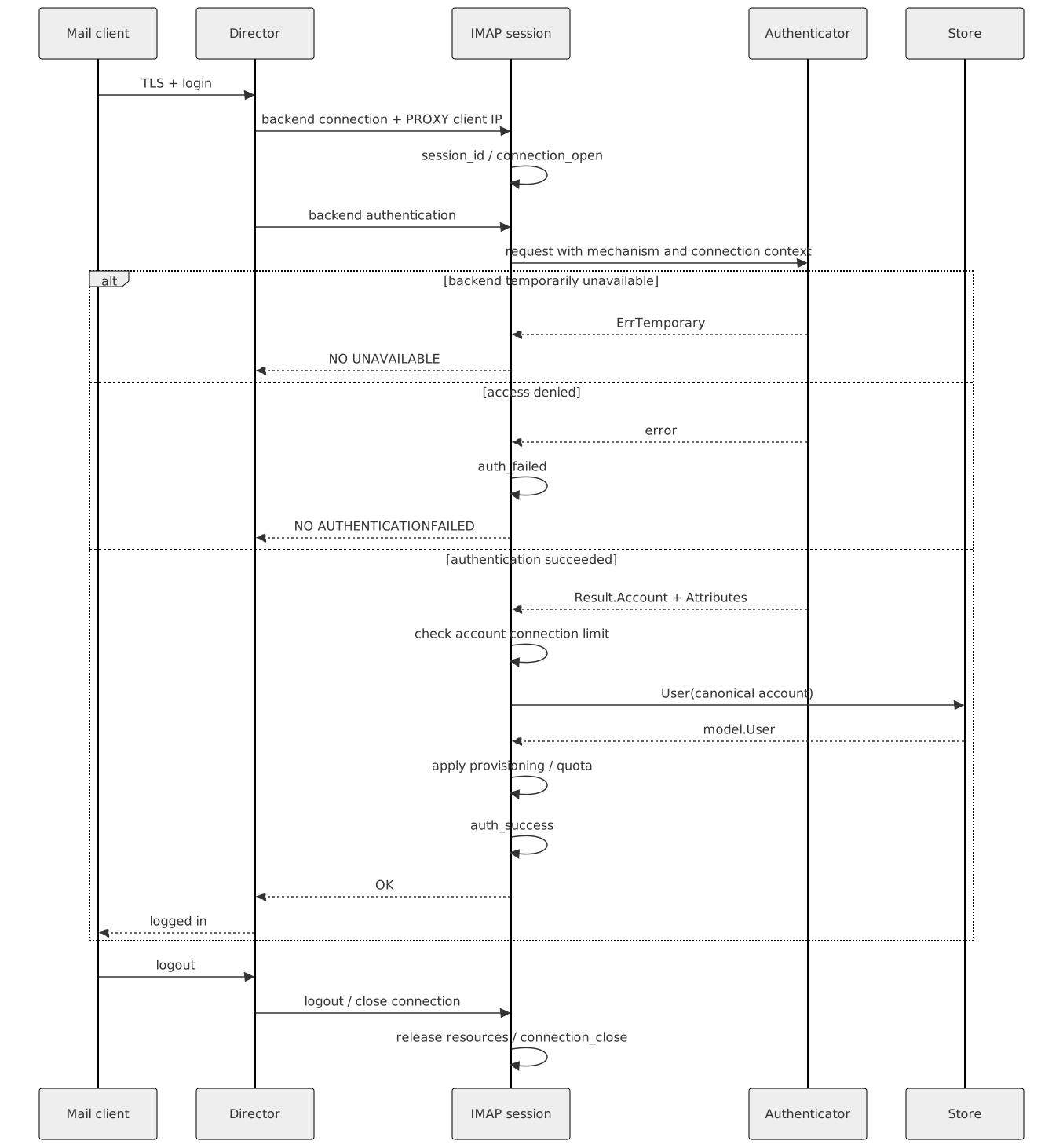
| login.mmd | SVG | Login sequence |
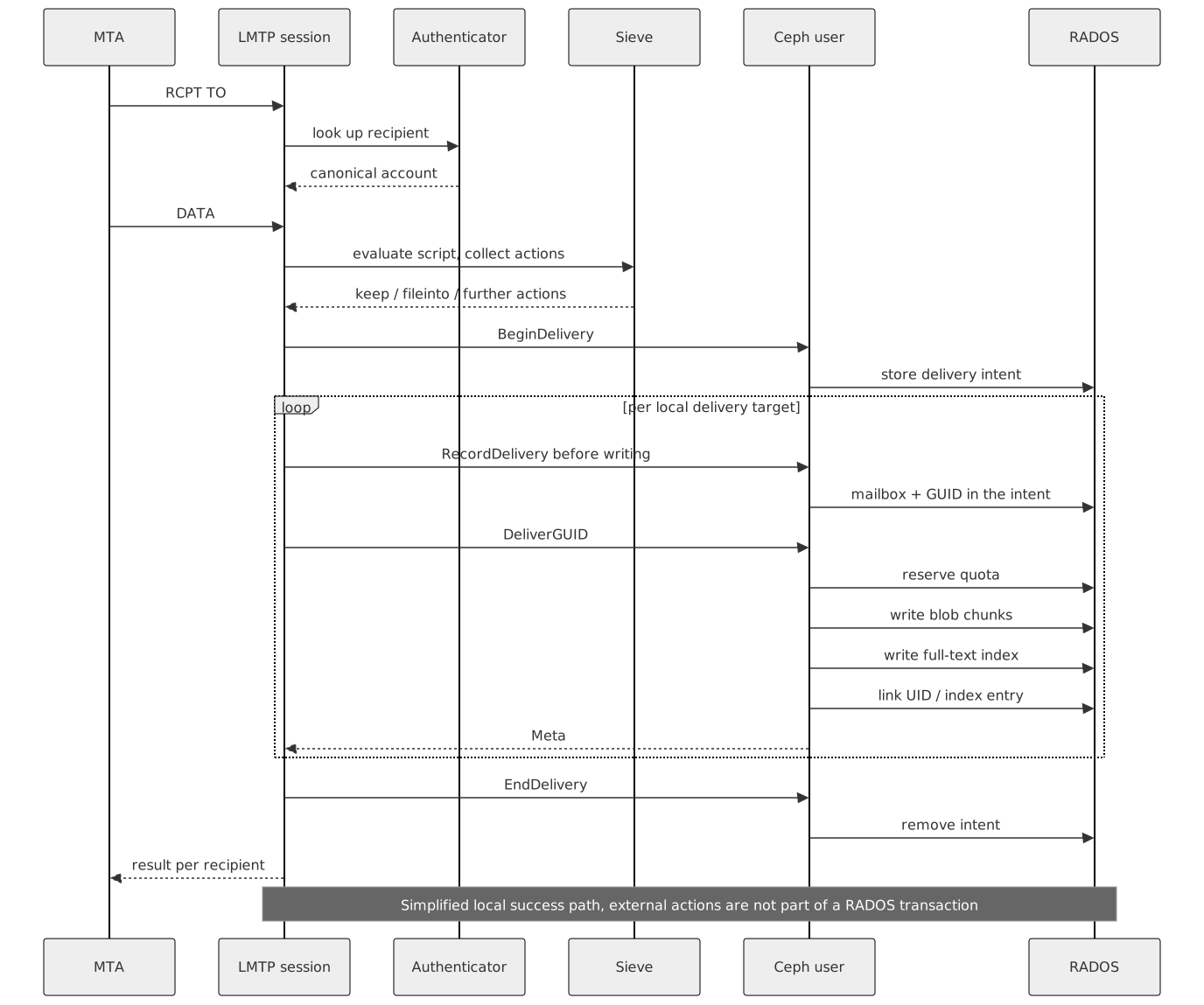
| delivery.mmd | SVG | Local LMTP delivery |
| imap-states.mmd | SVG | IMAP state machine |
| storage.mmd | SVG | Physical data model |
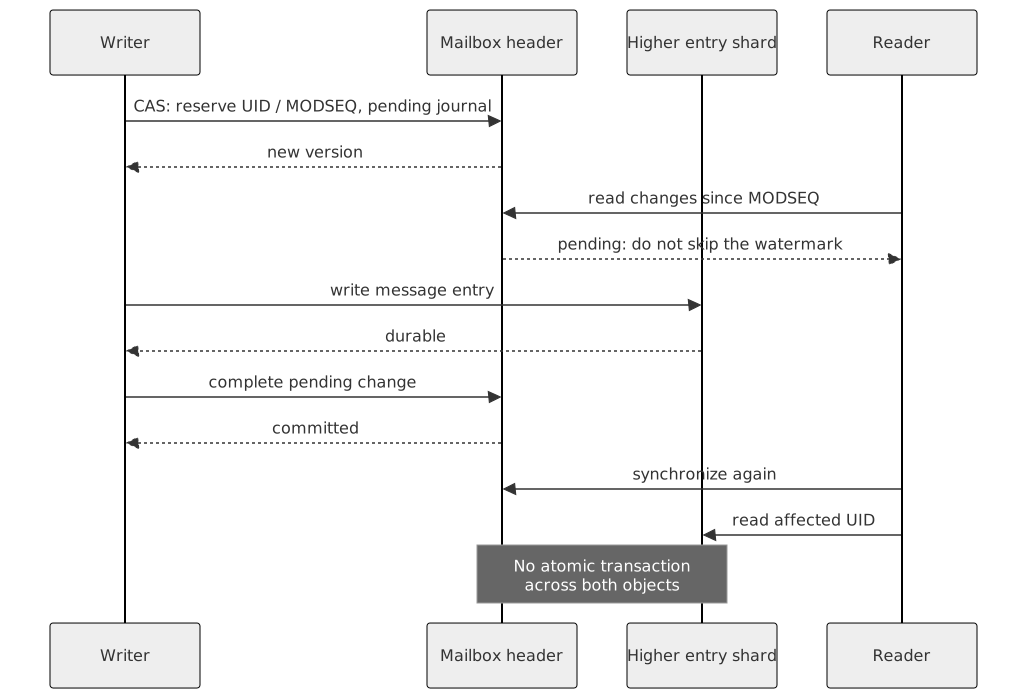
| shard-commit.mmd | SVG | Pending/commit sequence |
| learning.mmd | SVG | Durable learning job |
| storage-guide-ceph-basics.mmd | SVG | Storage guide: how a client reaches an OSD |
| storage-guide-ceph-objects.mmd | SVG | Storage guide: object parts, replication and erasure coding |
| storage-guide-pools.mmd | SVG | Storage guide: pools and namespaces |
| storage-guide-account-objects.mmd | SVG | Storage guide: the objects of one account |
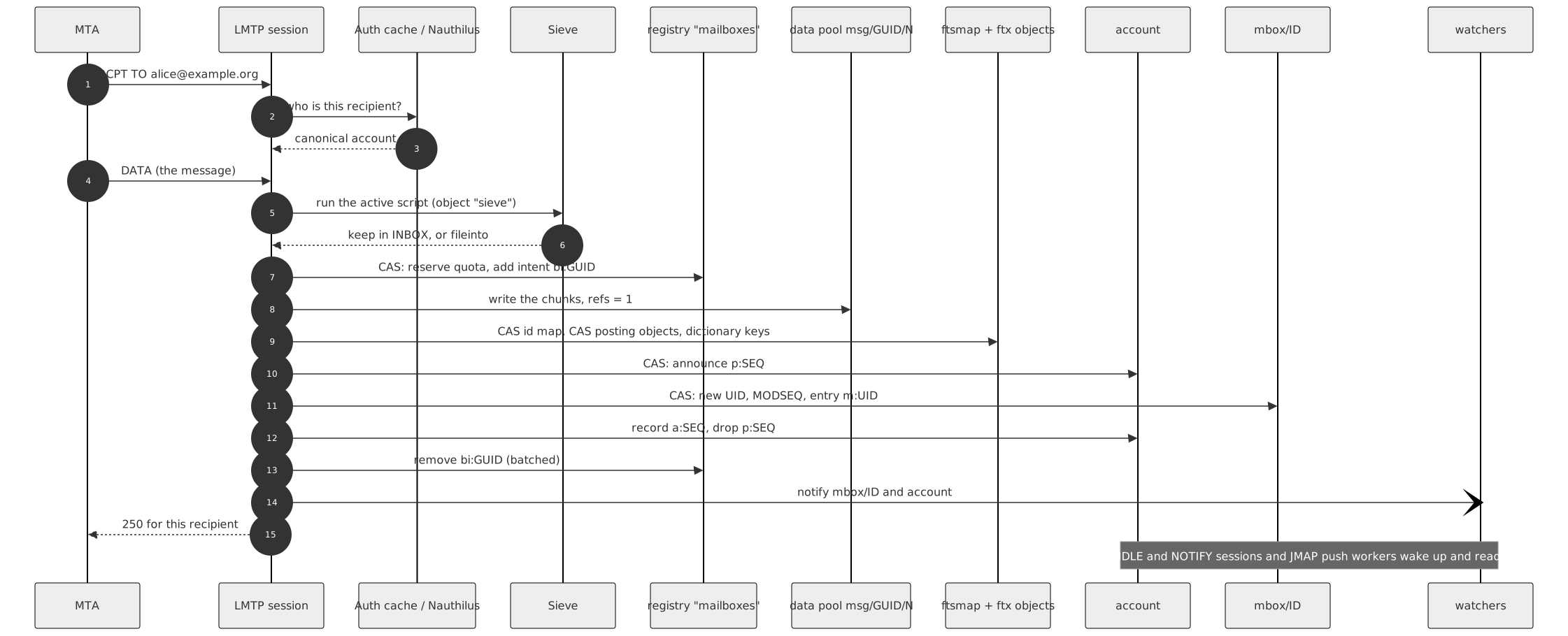
| storage-guide-delivery.mmd | SVG | Storage guide: delivery of one message |
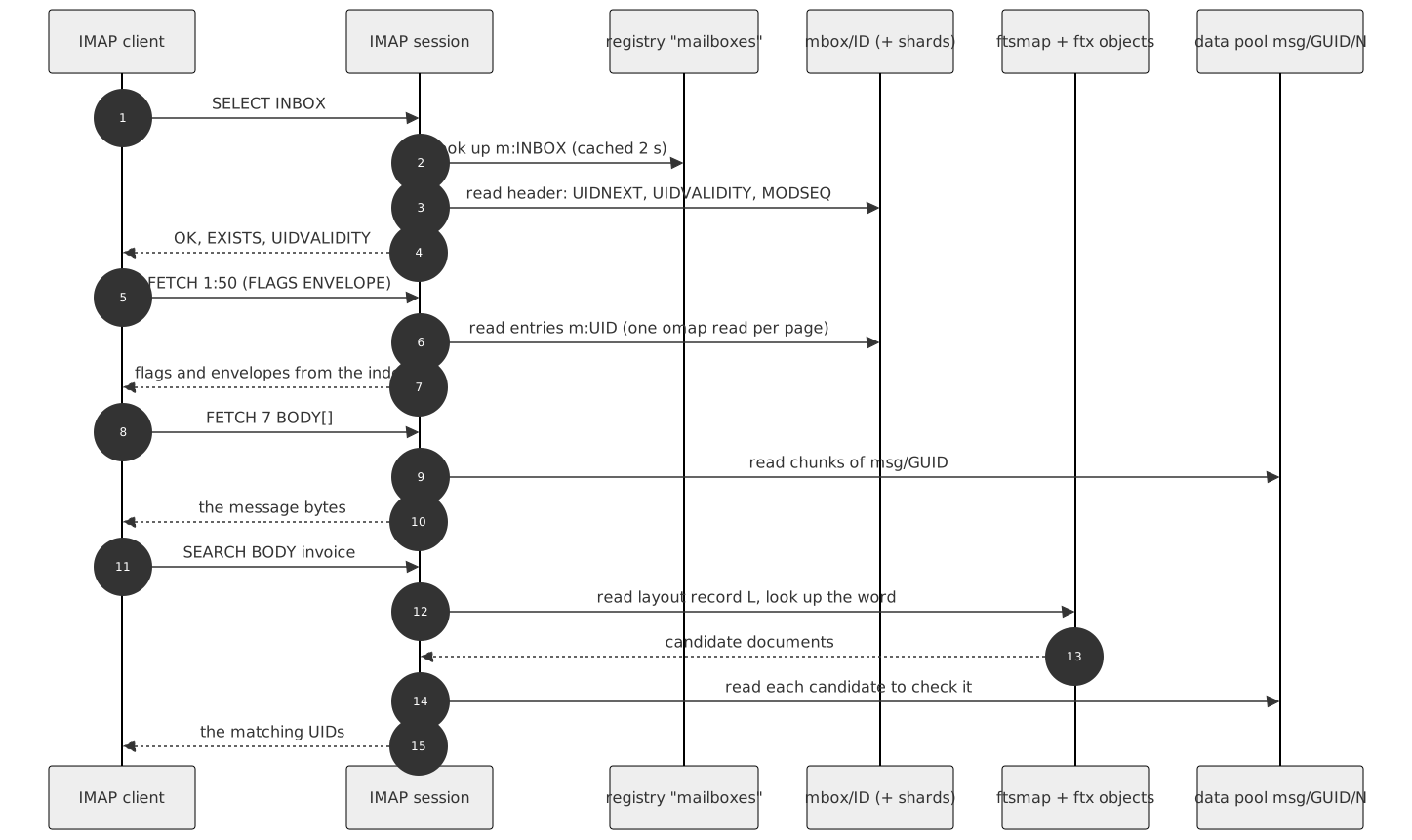
| storage-guide-read-search.mmd | SVG | Storage guide: reading and searching |
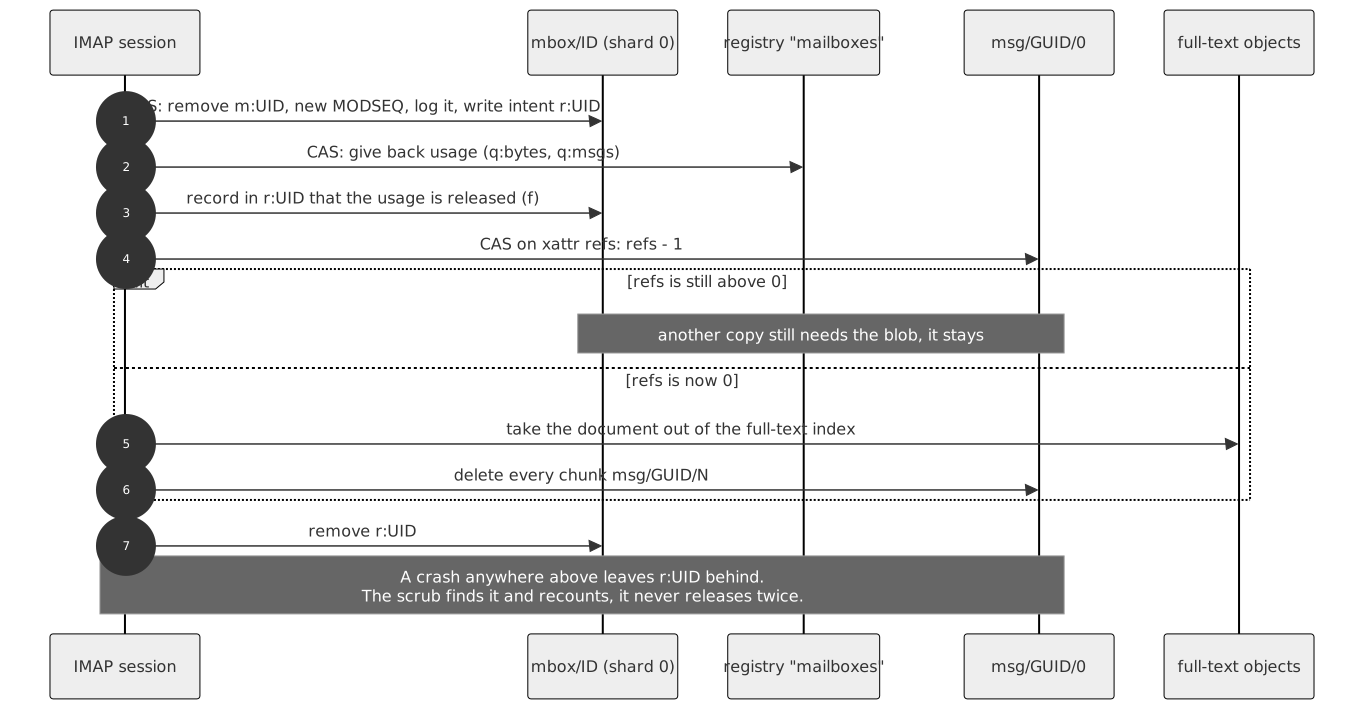
| storage-guide-expunge.mmd | SVG | Storage guide: expunge and the reference count |
| storage-guide-coordination.mmd | SVG | Storage guide: CAS, watch/notify, locks, intents |
| storage-guide-store-wide.mmd | SVG | Storage guide: store-wide namespaces and their users |
| storage-guide-programs.mmd | SVG | Storage guide: programs and pools |
| storage-guide-operator-flow.mmd | SVG | Storage guide: where an operator looks first |
| storage-guide-monitoring.mmd | SVG | Storage guide: monitoring layers |








Rendering
Verified renderer: @mermaid-js/mermaid-cli 11.17.0 with Chrome.
Install the renderer outside the Go project or use an existing
mmdc. Then, from the project directory:
MMDC=/path/to/mmdc hack/render-docs-diagrams.sh
When using an existing Chrome, point at the executable via executablePath
in a Puppeteer JSON configuration and set that file's path
as PUPPETEER_CONFIG. The rendering helper does not upload any project data
to a diagram service. After a change, update the source and the SVG together
and check for readable labels and truncated content.
The storage-guide-* SVGs (2026-10-04) were rendered with Mermaid 11.6.0 in a
headless Chrome, theme neutral, white background, not with the
verified mmdc above; rendering them again with mmdc replaces them
with equivalent output.
Rendered from docs/diagrams/README.md in the ShardPost repository.